Service charges
A service charge is an amount the till adds to an order by itself, such as 10% on dine-in orders. You decide the branches and order types it applies to. It is worked out after discounts and before VAT, and it is part of the tax invoice: it shows on the receipt and on the ZATCA invoice as a charge on the whole document.
Service charges need the POS. Open Settings › Service charges. Anyone who can see settings can see the list; you need permission to change settings to add, edit or switch charges.
The list
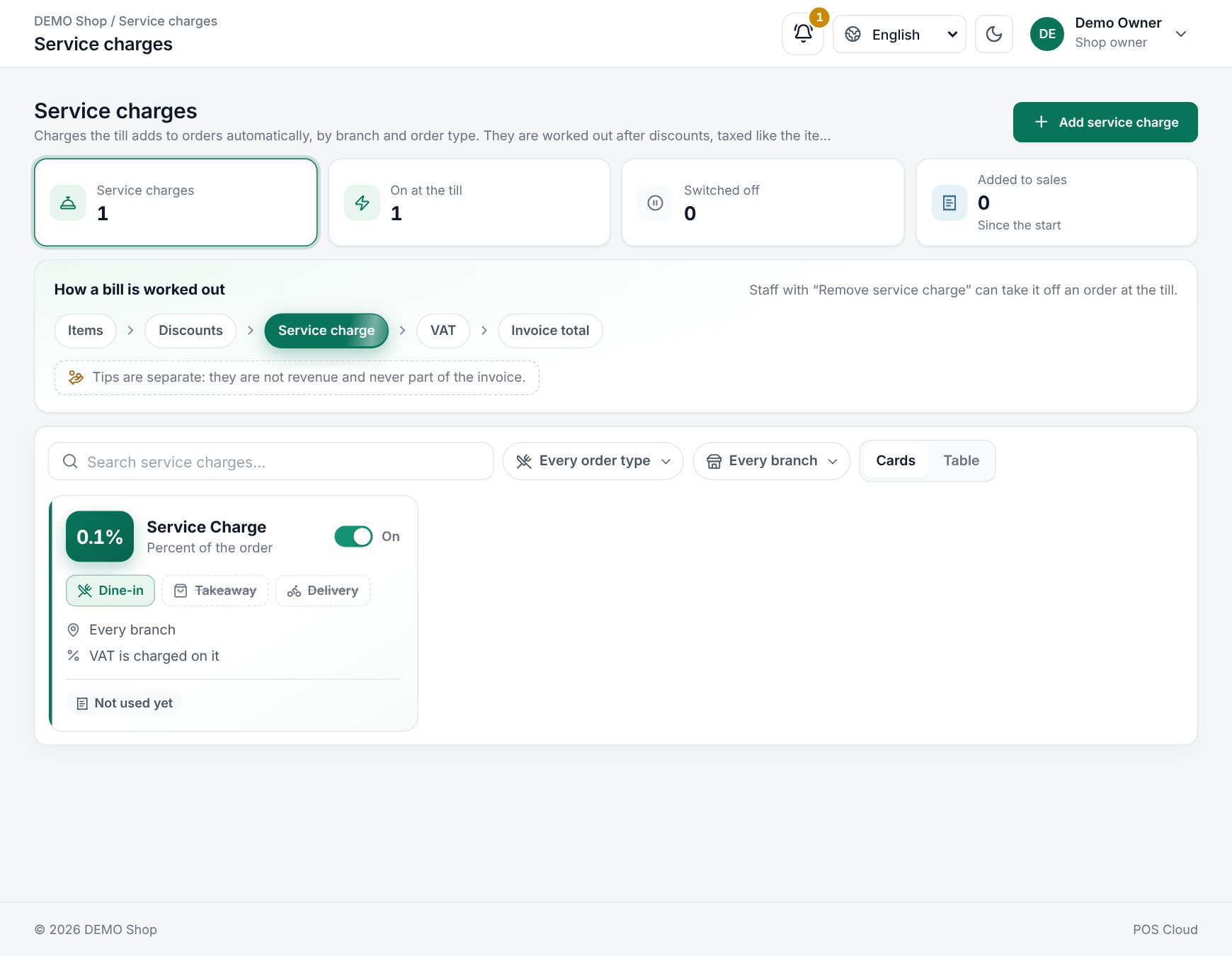 The Service charges list with its tiles and cards
The tiles at the top count Service charges, On at the till, Switched off, and how many times they were Added to sales since the start. Choose On at the till or Switched off to filter the list.
How a bill is worked out shows where the charge sits: Items, Discounts, Service charge, VAT, Invoice total.
Search with Search service charges…, filter by Order type or Branch, and switch the View between Cards and Table. Each charge shows its value, the order types and branches, whether VAT is charged on it, how many sales used it, and an On / Off switch.
Add a service charge
- Choose Add service charge.
- Fill in the fields below. The sample bill at the top shows what a customer pays for an example order.
- Choose Add service charge to save.
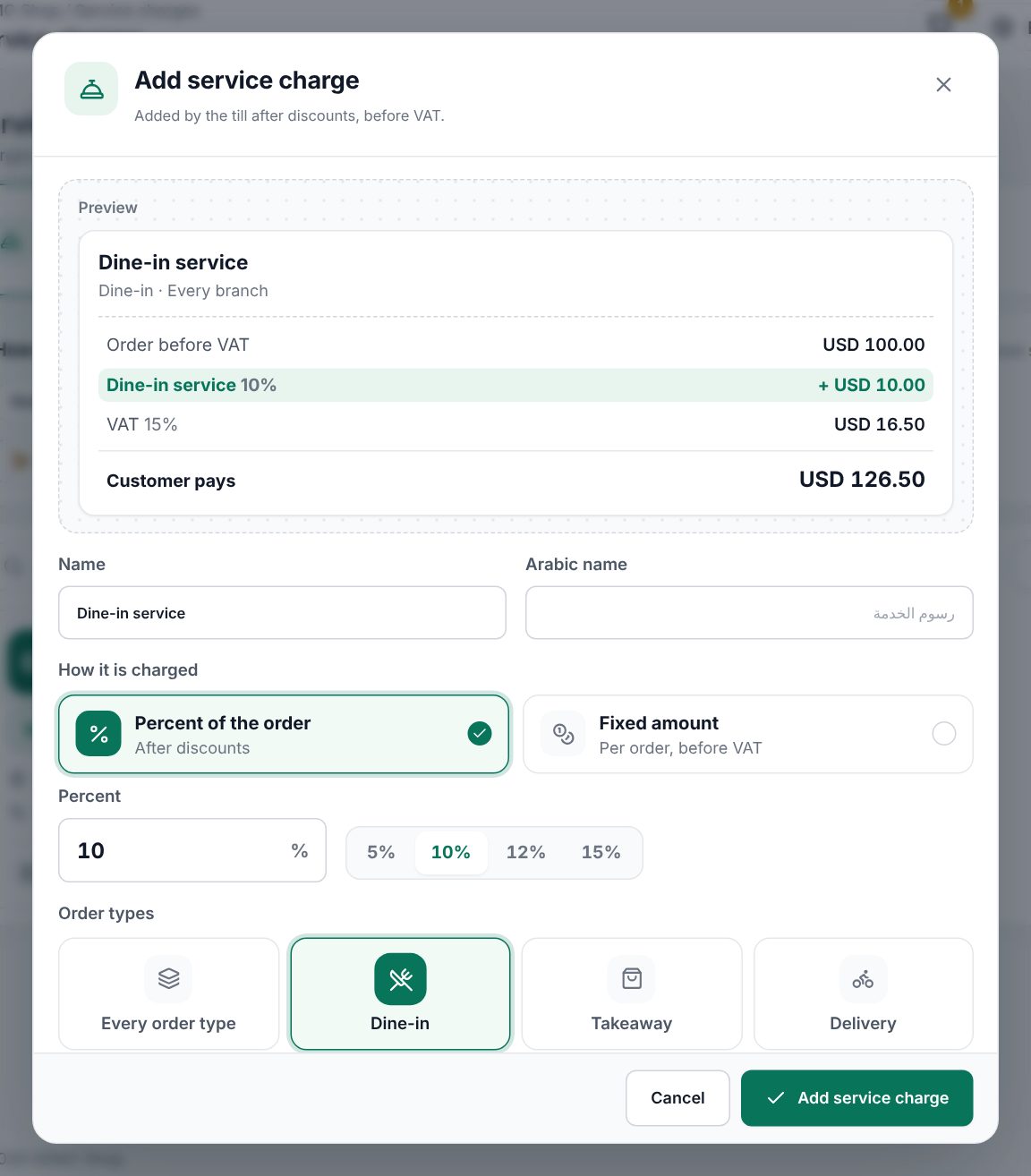 The service charge editor with its sample bill
| Field | What it does |
|---|---|
| Name, Arabic name | Printed on the receipt, for example "Dine-in service". The name must be unique |
| How it is charged | Percent of the order (after discounts) or Fixed amount (per order, before VAT) |
| Percent or Amount | The value. More than 0, and a percent can be at most 100. Quick picks: 5%, 10%, 12%, 15% |
| Order types | Dine-in, Takeaway, Delivery, or Every order type |
| Branches | The branches that add it, or Every branch |
| Charge VAT on it | On: taxed like the items, at the order's VAT rate. Turn it off only for charges your tax adviser says are out of scope |
To change a charge, choose Edit, then Save changes. To stop it for now, switch it Off; the till stops adding it at once.
To remove a charge, open it and choose delete, then confirm at Delete this service charge? A charge that sales have used cannot be deleted ("Used on sales, so it can't be deleted. Switch it off instead."). Sales made with a charge keep their own copy either way.
At the till
When an order's branch and order type match a charge that is on, the till adds it as its own row in the totals, with the name and the percent. Every matching charge is added. The waiter handheld and QR orders add it too.
Staff with the Remove service charge permission see a small remove button on that row. The row is then crossed out, with Add back to undo. Without the permission, the server refuses to take it off. Grant the permission in Users and permissions.
Good to know
- The percent applies to the order after promotions, coupons and other discounts.
- A fixed amount is added once per order, before VAT.
- Tips are separate: they are not revenue and never part of the invoice.
- When items are returned, the credit note gives back the returned items' share of the service charge (see Returns and credit notes).
- VAT on the charge uses the order's VAT rate (see Taxes).
Examples
Dine-in service at a restaurant. Name "Service", Percent of the order 10, Order types Dine-in, Every branch, Charge VAT on it on. A table's food comes to 200.00 before VAT. The till adds 20.00 service, then 15% VAT on 220.00, so the guests pay 253.00. Takeaway orders get no charge.
A delivery fee at one branch. Name "Delivery", Fixed amount 5.00, Order types Delivery, Branches Downtown. Every delivery order from Downtown gets 5.00 plus VAT. The cashier can remove it for a regular customer if they have the Remove service charge permission.
Last updated 17 Oct 2026