Waivers and refunds
A waiver lowers what a student pays: a sibling discount, free studentship for a staff child, a merit scholarship. A refund gives back money from a payment already received. Both need two people: whoever asks for it can never approve it. This keeps fee discounts and cash going out under control.
Open Fees › Waivers & refunds. The Fees menu needs the Fees module in the school's plan.
| Who | Can |
|---|---|
| fee:setup or fee:collect (Owner, Principal, Office admin, Accountant) | Ask for a waiver |
| fee:collect | Ask for a refund from a receipt at the counter |
| fee:approve (Owner, Principal) | Approve or Reject waivers and refunds asked for by someone else |
| fee:setup (Owner, Principal, Accountant) | End waiver |
Ask for a waiver
- Choose Ask for a waiver.
- Pick the student.
- Fill in the fields and choose Ask for a waiver. The request goes to the approvers ("Waiver request sent for approval").
| Field | What it does |
|---|---|
| Category | Sibling, Staff child, Merit, Poor & meritorious, Full free, Half free, Scholarship or Other |
| Fee head | One fee (for example Monthly tuition fee), or All fees |
| Kind | Percent or Fixed amount |
| Value | A percent from 1 to 100, or an amount above 0 |
| Valid from, Valid to | The period. Valid to is optional |
| Reason | Why, up to 300 characters |
Approve or reject
The list opens on Waiting; switch to All to see every waiver.
| Column | Shows |
|---|---|
| Category | The kind of waiver |
| Fee head | The fee it reduces, or All fees |
| Value | For example 50% or ৳500.00 |
| Valid from | Start date, and end date when there is one |
| Reason | Why it was asked |
| Status | Waiting, Approved, Rejected or Ended |
Approvers see Approve and Reject on waiting rows. The person who asked gets a notification with the decision.
To stop an approved waiver (the student left, the scholarship ended), choose End waiver. It ends today and its status becomes Ended.
How a waiver is applied
- An approved waiver reduces the invoices made from then on: the next monthly invoices and one-off invoices. Invoices already made keep their amounts.
- It applies to an invoice when the invoice's due date is inside Valid from–Valid to.
- A percent waiver takes that share off each fee it covers. A fixed amount comes off each fee it covers (with All fees, off each fee line), never more than the fee itself.
- The invoice shows the waiver in the Waived column, and the counter shows "Waived …" on the invoice.
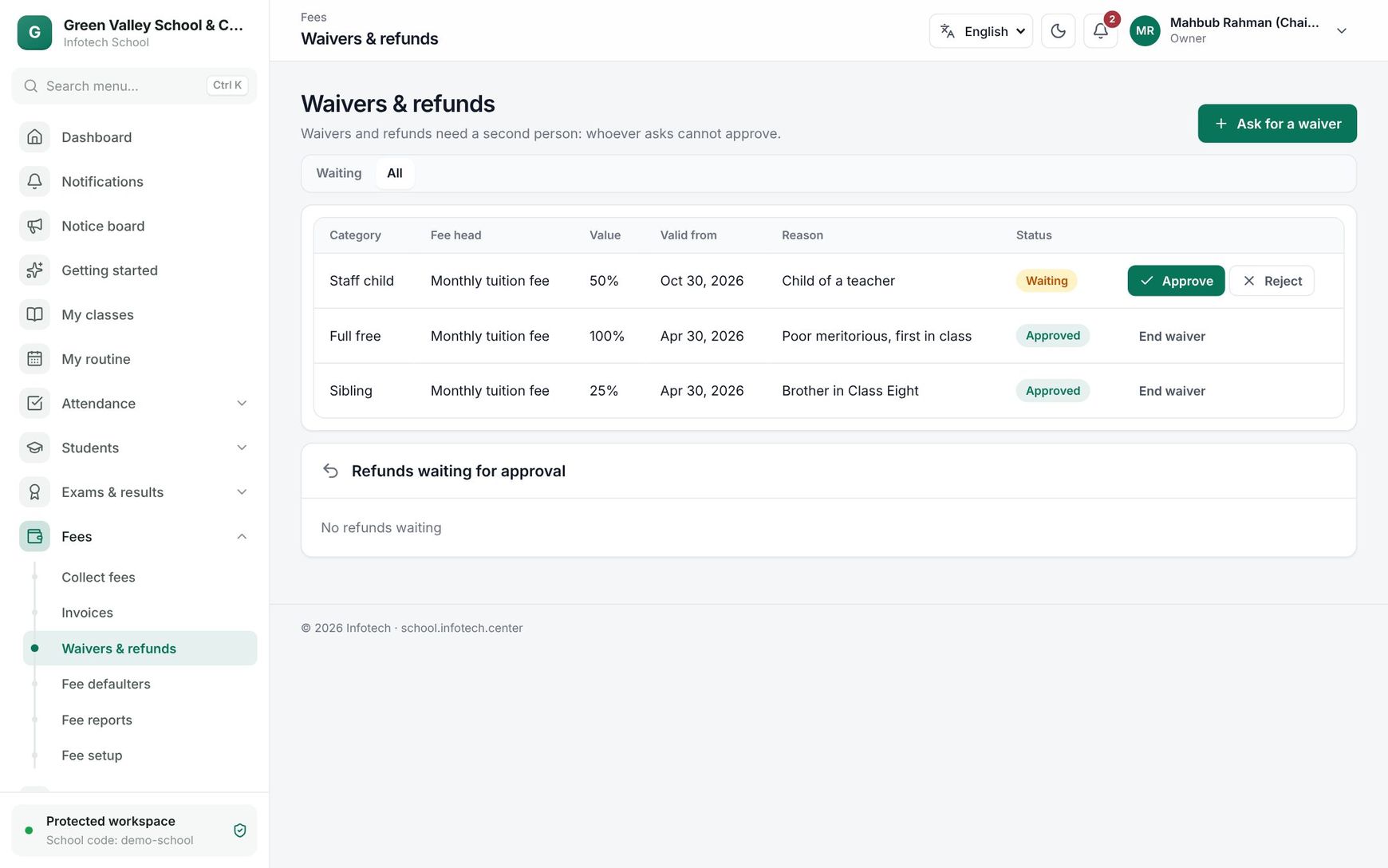 The Waivers & refunds page with a waiting waiver and a refund to approve
Refunds
Ask for a refund
- At Fees › Collect fees, pick the student and click the receipt in Receipts.
- Choose Ask for a refund.
- Enter the Refund amount and the Reason (at least a few words), then Send refund request.
All refunds of one receipt together can never be more than the receipt.
Approve a refund
Approvers see Refunds waiting for approval at the bottom of Fees › Waivers & refunds, each with the amount, reason and time. Choose Approve or Reject.
When a refund is approved:
- the money is taken back off the receipt's latest invoices first, so they show as due again;
- the receipt's status becomes Refunded or Partly refunded, and the printed receipt says so;
- a refund entry (category Fee refunds) is posted to the finance books from the account the money came into.
Note: The app records the refund; it does not send money back through bKash or the bank by itself. Give the money back to the family the usual way.
Rules
- "Someone else must approve this; you asked for it." A person with fee:approve cannot approve their own request.
- A waiver or refund can be decided only once ("This was already decided.").
- Every request, approval, rejection and end is written to the Audit log.
Examples
Sibling discount. Two sisters study in Class Four A and Class Eight B. The office admin asks for a waiver for the younger one: Sibling, Monthly tuition fee, Percent 50, Valid from 1 January 2027. The principal approves it. From the January invoice on, her Tk 1,400 tuition shows Tk 700 Waived.
A wrong amount at the counter. On 5 November Nusrat's father came to pay only October's Tk 1,500, but the cashier left November ticked too and took Tk 3,000 in cash. The cashier opens the receipt and asks for a refund of Tk 1,500 with the reason "Father paid only October". The principal approves it: November shows Tk 1,500 due again, October stays paid, and the Cash in hand book shows a Tk 1,500 fee refund. The cashier hands back the Tk 1,500.
Last updated 30 Oct 2026