Classes, sections and subjects
Classes & subjects is where you set up the academic structure of the school: the classes (Play to Class Twelve), the subjects and how their marks are split, which subjects each class studies, the sections of each class with a class teacher, and who teaches each subject in each section. Routines, attendance, exams and results all build on this.
Open School › Classes & subjects. It has four tabs: Sections, Classes, Subjects and Years (see School profile for years). Anyone with academic:read can look, which includes teachers and accountants. Changing anything needs setup:write (Owner, Principal, Office admin).
Tip: You rarely start from nothing. A curriculum pack on Getting started fills the classes, subjects and each class's subject list.
Classes
The Classes tab lists each class with its Code, Stage and badges (Has groups, Inactive). Choose Add class, or click a class and then Edit class.
| Field | Notes |
|---|---|
| Name (English), Name (Bangla) | For example "Class Six" and "ষষ্ঠ শ্রেণি" |
| Code | Short and unique, for example C6. Fixed after saving |
| Stage | Pre-primary, Primary, Junior secondary, Secondary or Higher secondary |
| Order | Classes are listed in this order |
| Has groups | Students choose Science, Business Studies or Humanities (Class Nine onwards) |
| Active | Switch off a class the school does not run |
The subjects of a class
Click a class to open its panel. Tick each subject the class studies and choose its Subject type:
| Type | Meaning |
|---|---|
| Compulsory | Everyone in the class takes it |
| Group subject | Only for one group; choose the group in Choose group. Only classes with Has groups offer this |
| Elective | A subject students choose |
| 4th (optional) | The optional fourth subject |
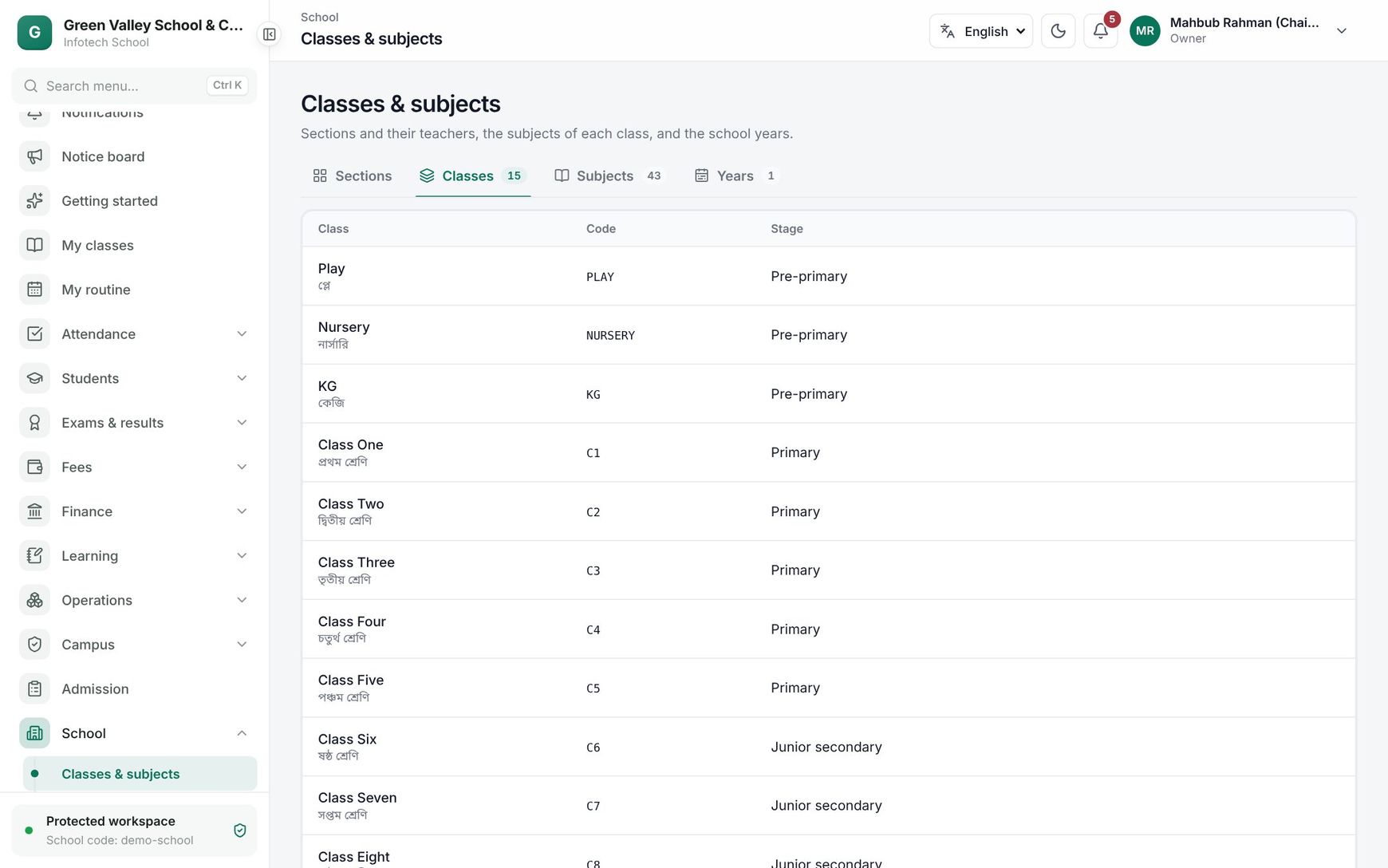 A class's panel with its subjects and their types
Choose Save changes. A subject can be listed only once per class.
Note: Sections that already exist keep the subjects and teachers they have. New sections get the class's current list.
Subjects
The Subjects tab lists each subject with Code · board code, Parts and Full marks. Choose Add subject or click a subject.
- Name (English), Name (Bangla), Code (fixed later) and Board code (for example 101, as on the board's subject list).
- Parts: split the marks the way the exam does, for example CQ 70 + MCQ 30, or Theory 75 + Practical 25. Each part has a Part name, Full marks and Pass marks. Add part adds a row. The total is shown, for example "Total 100 marks". Pass marks cannot be above full marks.
- Active: switch off a subject you no longer teach.
The Groups card on the same tab lists Science, Business Studies and Humanities. Add group adds another.
Sections
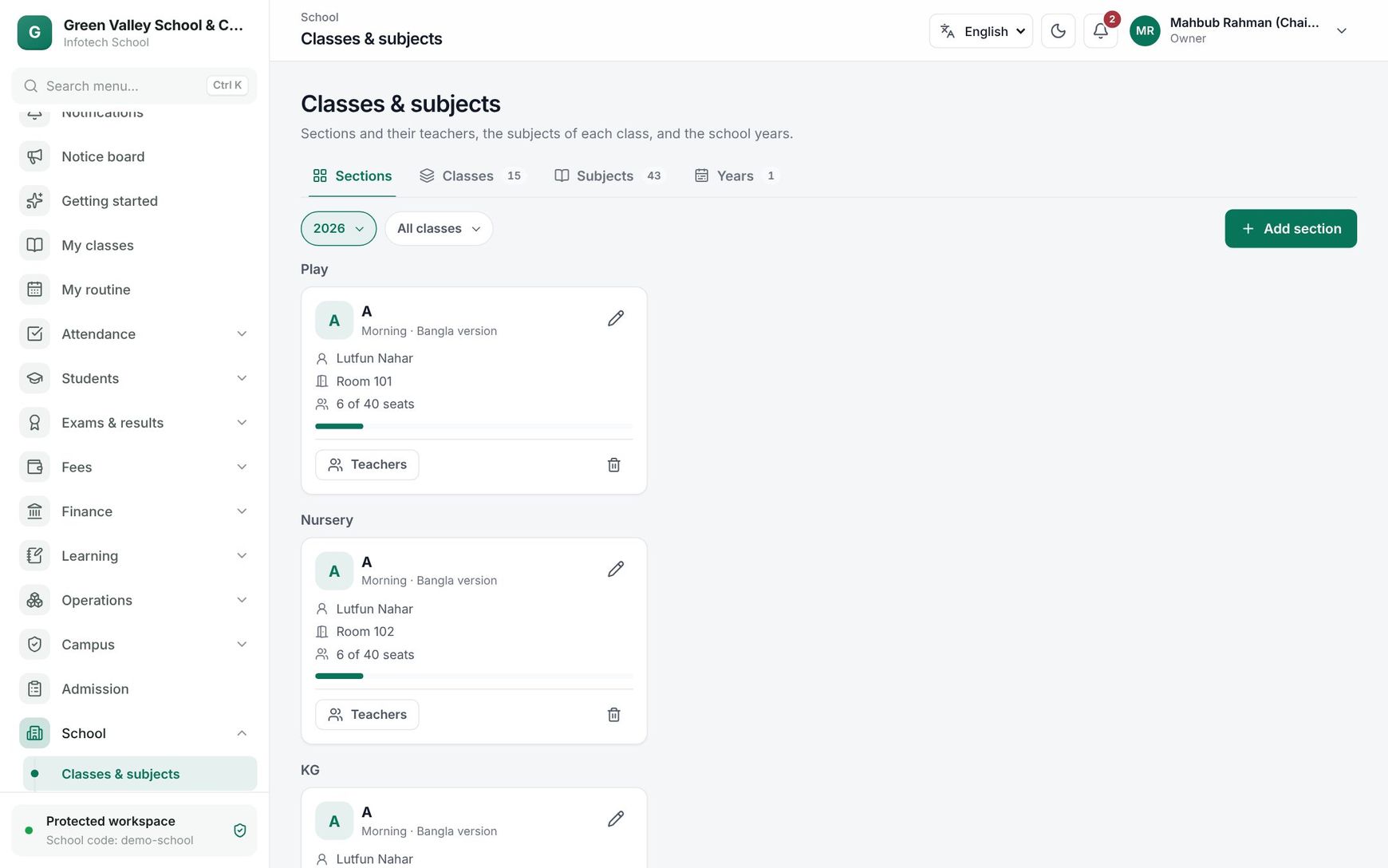 Sections of each class with their class teacher, seats and the Teachers button
The Sections tab shows the sections of one Year, grouped by class; filter with Class. Each card shows the section name, its shift, version and group, the class teacher (or No class teacher), the room and the seats, for example "38 of 40 seats", with a bar that turns amber near the limit and red when full.
Choose Add section:
| Field | Notes |
|---|---|
| Class | Required |
| Section name | For example A, B, Rose or Science; up to 30 characters, unique within the class |
| Campus, Shift, Version | Required |
| Group | Only for classes with groups; All groups if the section mixes them |
| Seats | 1 to 500 |
| Room | Optional |
| Class teacher | Search for a teacher, or leave Nobody yet |
A new section gets the subjects of its class (for a group section, the compulsory subjects plus that group's subjects). To remove a section, use the bin button and confirm Delete section. Only a section without students can be deleted.
Subject teachers
Choose Teachers on a section card. Each subject of the section is listed with its full marks; pick a teacher for each and choose Save changes. A badge such as "2 subjects without a teacher" shows what is missing. Teachers then see these sections under My classes, and the routine uses these pairs (see Class routine).
Good to know
- Staff who have left cannot be made class or subject teachers.
- Changing a section's group adds the new group's subjects; subjects of the old group that have no teacher are taken off.
- Codes of classes, subjects and groups are used in imports and exports, so they never change.
Example
Class Nine at Green Valley School has two sections: "Science" (Morning shift, group Science, 40 seats, class teacher Shamima Nasrin) and "Business" (Day shift, group Business Studies). Opening Teachers on "Science" lists Physics, Chemistry, Biology and the compulsory subjects. The office picks Tapan Kumar Das for Physics and Chemistry and saves; the badge "1 subject without a teacher" reminds them that Higher Mathematics still needs someone.
Last updated 30 Oct 2026