Holidays
The holiday list tells Infotech School which days the school is closed: government public holidays, your own school holidays (Eid vacation, winter break) and exam breaks. On those days attendance cannot be taken, card readers do not mark students, and the monthly register shows H. Keep it up to date at the start of the year and teachers will never be asked for attendance on a closed day.
Open School › Holidays. Everyone with academic:read (all staff roles, including teachers) can see the list. Adding, changing and deleting holidays needs setup:write (Owner, Principal, Office admin).
Weekly holidays are set elsewhere
Friday (and Saturday, if your school closes then too) is not a holiday on this page. Each campus has its Weekly holidays in Settings › School profile, tab Campuses (up to three days a week, see School profile). Attendance shows "Weekly holiday" on those days, and the register shows W.
The holiday page
Use the year switcher to move between years. At the top:
| Figure | Shows |
|---|---|
| Days off | All holiday days of the year |
| Public | Days of government holidays |
| School | Days of your own holidays |
| Exam | Days of exam holidays |
Below, holidays are grouped by month. Each shows its dates, the number of days, the campus (when it is for one campus only) and its type.
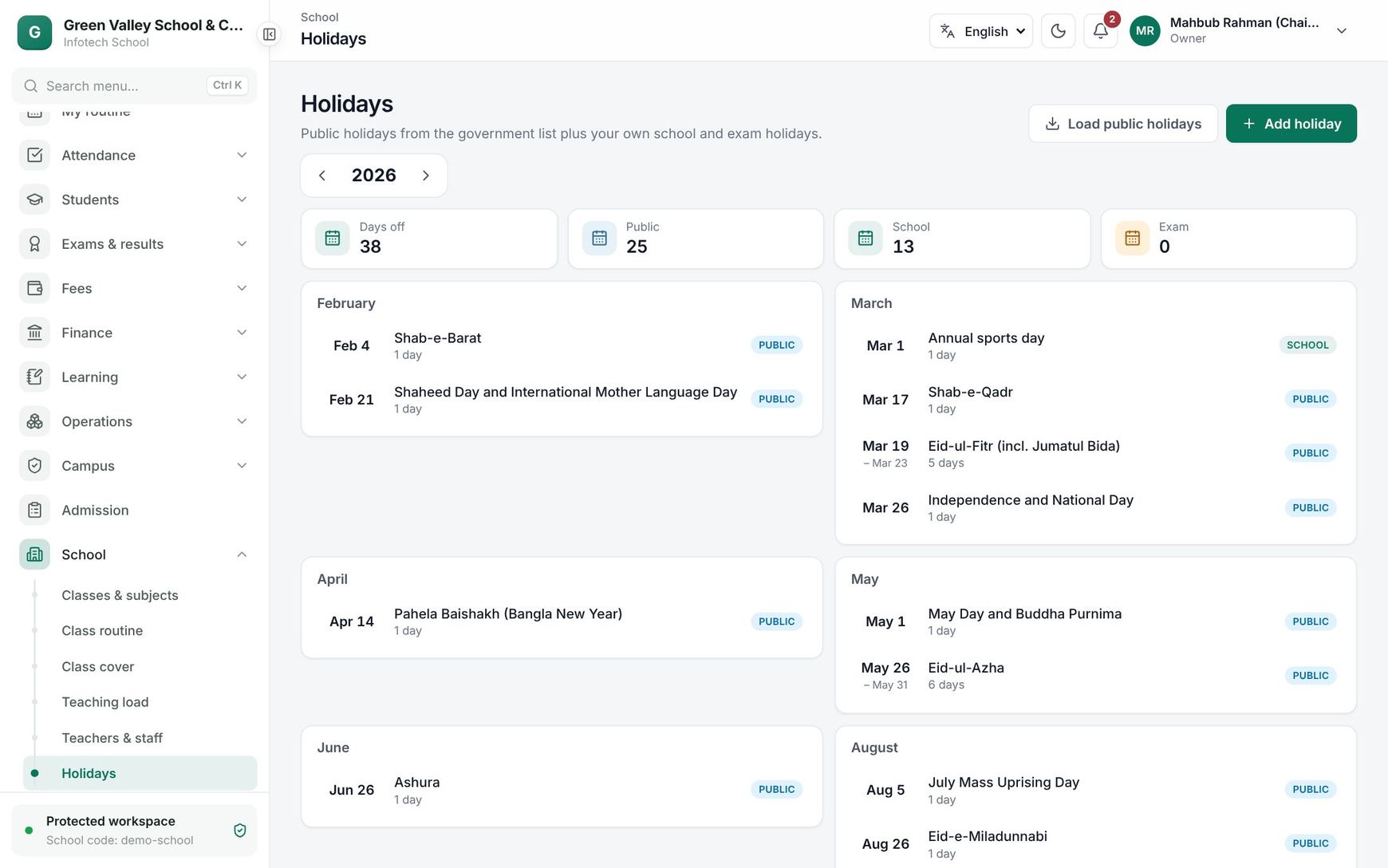 The Holidays page with holidays grouped by month
Load the public holidays
Choose Load public holidays. Infotech School adds the government holidays of the year from your country's education pack, for example Shaheed Day and International Mother Language Day, Independence and National Day, Pahela Baishakh and Victory Day for Bangladesh. The message says how many were added.
- Holidays already loaded are skipped, so you can press it again safely.
- Holidays whose date depends on the moon (Eid, Shab-e-Barat) may move by a day. Open one and correct the date when the government announces it.
- If nothing is added for a year, the pack has no list for that year yet. Add those holidays yourself.
Add your own holidays
Choose Add holiday and fill in:
| Field | What it does |
|---|---|
| Name (English) | Required, for example "Winter vacation" |
| Name (Bangla) | Shown when the app is in Bangla |
| From, To | First and last day. A one-day holiday has the same date in both. Up to 120 days |
| Type | Public, School or Exam |
| Campus | All campuses, or one campus only |
Choose Create. To change a holiday, click it, edit and choose Save changes. To remove it, choose Delete and confirm.
What a holiday changes
- Take attendance shows The school is closed that day with the holiday name, and saving is refused (see Attendance).
- Monthly register shows H in that column for every student, and the day does not count in anyone's percentage.
- Card readers answer Not a school day for student punches (see Card readers and biometric devices).
- In the mobile app, teachers see "Holiday:" with the name instead of an attendance sheet.
Note: A holiday for one campus closes only that campus. Sections of other campuses keep their normal days.
Good to know:
- A holiday that crosses into the next year (for example 28 December to 3 January) appears in both years.
- Use Exam for days off during exams so they are counted separately in Days off.
- The holiday list does not change the class routine; the routine is weekly and simply is not used on closed days.
Examples
Setting up 2026 at a Bangladeshi school. In January the office opens Holidays, chooses Load public holidays and gets the government list. It then adds "Eid-ul-Fitr vacation" from 16 to 26 March as School, "Winter vacation" from 15 to 31 December as School, and "Half-yearly exam break" for two days in June as Exam. Days off now shows the year's total.
A campus-only closure. The girls' campus is used as a polling centre on election day. The office adds "Polling centre" for that one day, Type School, Campus "Girls' campus". Attendance on the main campus goes on as normal.
Last updated 30 Oct 2026