Homework and class diary
Homework lets teachers give work to a section with a due date and worksheets. Guardians and students see it in the app at once, students hand it in with photos of their copies, and the teacher marks it or sends it back with feedback. The Class diary is the daily record of what was taught in each subject, which guardians read in the app instead of a paper diary.
Both pages are under Learning and need the Homework & LMS module. They need homework:write (Teacher and Principal by default) or lms:manage (Owner, Principal and Office admin).
A teacher writes for a section when they are its class teacher or teach the subject there. Anyone with lms:manage (the academic office) can write for every section.
Give homework
Open Learning › Homework and choose Give homework.
| Field | What it does |
|---|---|
| Section | Who gets it (Choose a section) |
| Subject | The subject, or No particular subject |
| Title | For example "Exercise 4.2, sums 1–10" |
| What to do | The instructions |
| Given on | Today by default |
| Due on | Cannot be before the day it is given |
| Full marks | Leave empty for no marks |
| Students hand it in through the app | On by default. Turn it off for work done in the copy that you check in class |
| Worksheets and photos | Up to 5 files: PDF, photos, Word or Excel |
Choose Give homework. The page says "Homework given; families are told in the app."
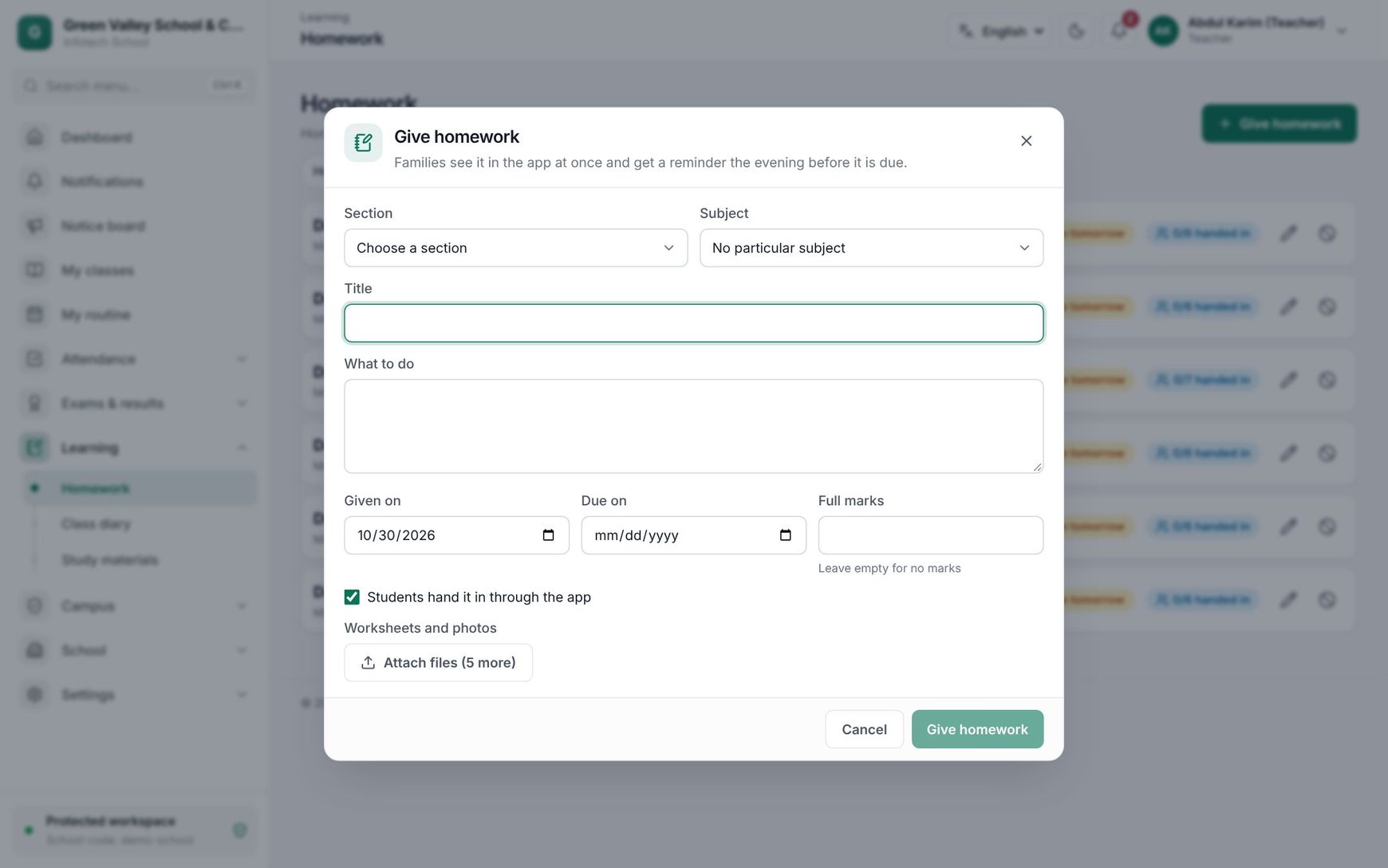 Giving homework to a section
Follow and mark homework
The list shows your homework (teachers: Homework I gave; pick a section to see all of its homework). Each item shows the due badge (Due today, Due tomorrow, Later, Overdue) and "28/40 handed in". Use Edit to change it, or Cancel homework: it disappears from the families' apps, but submissions stay.
Open an item to see every student with their status:
| Status | Meaning |
|---|---|
| To do | Not handed in yet |
| Handed in | Waiting for you to mark it. Late shows when it came after the due date |
| Redo | You sent it back; the student can hand it in again |
| Marked | Marked, with marks and feedback |
| In the copy | Nothing is handed in through the app for this homework |
Choose Mark (or Change) next to a student. Enter the marks (Marks (out of 10)) and the Feedback, which the student and guardians see with the marks. Then choose Save marks, or Return to redo to send it back.
What guardians and students see
Guardians and students open Homework in the menu (web and mobile app). A guardian with several children picks the child. The list shows homework from two weeks back onwards, most urgent first, with "2 homework to do" on top. Each item shows the subject, title, due date, status, the teacher's files, and the marks and feedback once marked.
To hand in, choose Hand in, write an Answer and/or add Photos or PDF of the answer, and confirm. The student can choose Hand in again until the teacher marks it. After the due date it still goes in, but counts as late.
At 5 pm the day before homework is due, families of students who have not handed it in get a reminder.
The class diary
Open Learning › Class diary. Choose the section and the day. The page lists what was written for each subject that day.
To write:
- Under Write today's class, choose the Subject.
- In What was taught, write the chapter, pages and what to revise at home.
- Optionally pick Homework given in this class to link homework of that section.
- Choose Save changes. The page says Diary saved.
Writing again for the same subject and day replaces the entry. You can write for today or a past day, never for a future day.
Guardians and students read it under Class diary in the menu: pick the day (and the child) to see each subject's lesson and any homework given in it. A day with nothing written says Nothing written for this day.
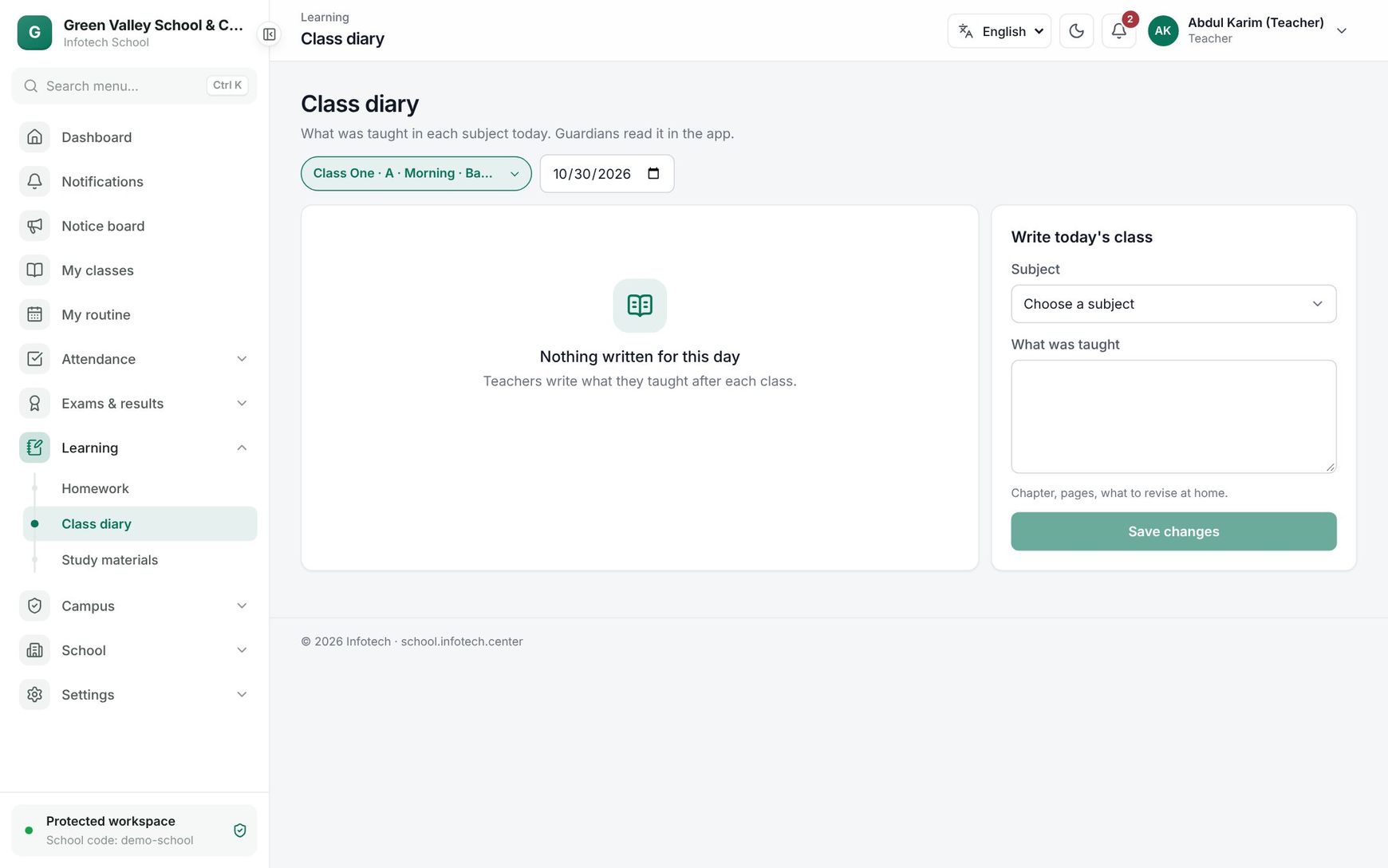 The class diary of a section
Good to know
- Homework and diary entries are only for the sections you teach (or every section with
lms:manage). - A cancelled homework can no longer be handed in.
- Once marked, a homework cannot be handed in again unless you choose Return to redo.
- Large photos taken in the mobile app are made smaller before they are uploaded.
Examples
Mathematics homework for Class Six A. On Sunday, Kamal Hossain gives "Exercise 4.2, sums 1–10" to Class Six A, Due on Tuesday, Full marks 10, with a photo of the board. Parents see it at once. On Monday at 5 pm, the families of 6 students who have not handed it in get a reminder. On Tuesday he marks 34 submissions and returns one blurred photo with Return to redo and the feedback "Photo not clear, please send again".
Diary for a guardian. Rahima Begum checks Class diary at night: under Bangla, the teacher wrote "Poem 'Amar Bari', lines 1–12, learn by heart", and under English, "Unit 5, Lesson 2 — homework given". She knows what to revise with her son without a paper diary.
Last updated 30 Oct 2026