Class cover and teaching load
When teachers are away, someone has to take their classes. Class cover lists every class of every absent teacher on a day, suggests the best free teacher for each one, and lets you assign them all with one click. Teaching load shows how many periods a week each teacher has and how many covers they took this month, so loads stay fair and HRM can pay for extra classes.
Both pages are under School in the sidebar. Class cover needs routine:write (Owner, Principal, Office admin). Teaching load needs routine:write or staff:read.
Where absences come from
A teacher counts as away on a day when:
- Leave was approved in HRM, when your school has the HRM add-on connected (see Integrations). These rows carry an HRM badge and can only be changed in HRM.
- The office recorded an absence on School › Teachers & staff, tab Who is away. Choose Record absence, pick the Staff member, From and To, the Kind and an optional Reason, and switch on Half day if needed.
| Kind | Use it for |
|---|---|
| Leave | Casual or sick leave |
| Absent | Did not come, without leave |
| Training | Board or government training |
| Other duty | Exam duty, a meeting outside the school |
See Teachers and staff for the staff list itself.
Cover a day
- Open School › Class cover. It opens on today; change the Date to plan ahead.
- The badges show the day at a glance, for example 2 teachers away, 9 classes, 3 covered.
- Each row is one class: time and period, section and subject, the absent teacher and why.
- For each class still open, the menu offers up to five free teachers. Each shows how many classes they have that day and how many covers they took this week ("4 classes that day, 1 covers this week"). A ★ means the teacher teaches that subject.
- Leave a row on First suggestion (name) or pick someone else.
- Click Assign 7 covers (the number changes with the open classes). The message tells you how many classes are covered now.
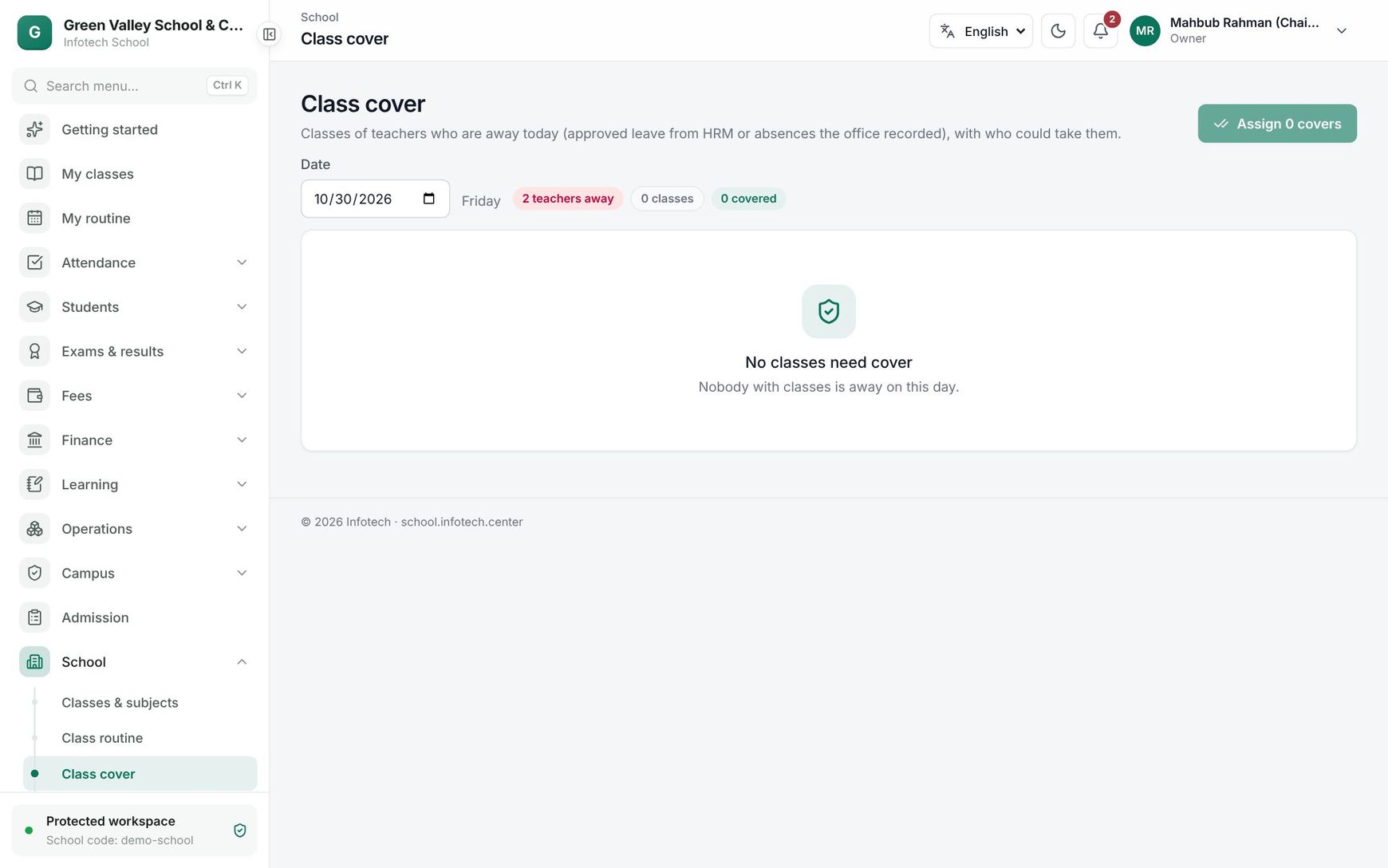 The Class cover page with absent teachers' classes and suggested substitutes
Rows that are already covered show Taken by and the teacher's name. A class nobody can take shows Nobody free: every teacher is busy or away at that time, so the school has to arrange that class another way.
How the first suggestion is chosen
Only teachers who are free at that time, not away themselves and active are suggested. They are ranked:
- teaches the subject (★) first;
- then fewest covers this week (the week starts on Saturday);
- then fewest classes that day.
Each chosen teacher gets a message in the app and sees the class on My routine with a Substitute badge. When HRM is connected, each cover is also sent to HRM for extra-class pay. Covers appear on the Substitutes tab of Class routine, where you can cancel one.
Note: If the page has changed since you opened it, you may see "That class does not need cover on this day. Reload and try again."
Teaching load
School › Teaching load lists every active teaching staff member, busiest first:
| Column | Shows |
|---|---|
| Name | Name and designation |
| Periods a week | Classes in the current year's routines |
| Sections | How many sections they teach |
| Subjects | How many different subjects |
| Covers this month | Classes they took for absent colleagues |
- Export CSV downloads the table for a spreadsheet.
- Send to HRM sends each teacher's periods a week and this month's covers to HRM (for workload and extra-class pay). It needs routine:write and a connected HRM; otherwise you see "Connect HRM first (Settings → Integrations)."
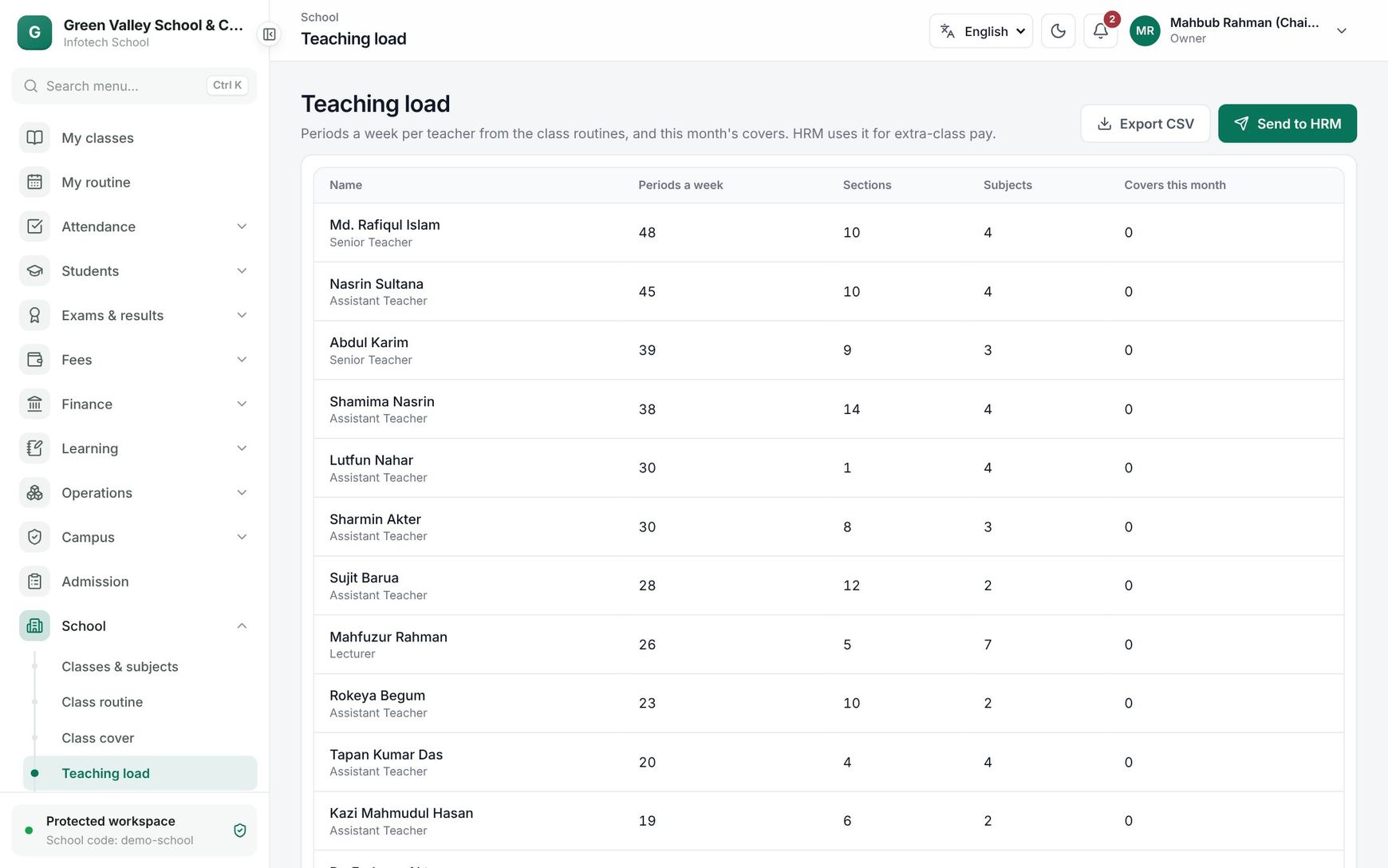 The Teaching load page with periods a week and covers per teacher
Good to know:
- Teaching load counts the routine as planned; substitutes do not change it, they add to Covers this month.
- Use it before running the Routine generator to spot teachers who are overloaded.
Examples
Two teachers away on a Sunday. Rahima Begum (Bangla) is on approved leave in HRM and Kamal Hossain is at a training the office recorded. Class cover shows 9 classes. For Class Six A, 2nd period Bangla, the first suggestion is Shahana Parvin ★, who also teaches Bangla and has no covers this week. The office keeps all first suggestions and clicks Assign 9 covers. Every substitute is told in the app.
Month-end pay. On 30 October the principal opens Teaching load: Nasrin Akter has 30 periods a week and 6 covers this month. The principal clicks Send to HRM, and HRM adds the extra-class allowance (for example 150 Taka per cover, 900 Taka) to her salary.
Last updated 30 Oct 2026