Hostels
The Hostels page keeps the school's boarding houses: rooms and beds, who sleeps where, moves between rooms, and residents going out on an out-pass. Guardians are told in the app when their child leaves the hostel and when they come back, and they can see the room, the warden and the out-passes on Hostel.
Who can use it: the menu Operations › Hostels needs the Hostel module in the school's plan (see Subscription and store) and the permission to run hostels. The Hostel warden role has it, as do the Owner, Principal and Office admin.
Add a hostel
Open Operations › Hostels and choose New hostel.
| Field | What it does |
|---|---|
| Name | For example "Shaheed Titumir Hall". Two hostels cannot have the same name |
| For | Boys, Girls or Mixed. A boys' hostel only takes male students and a girls' hostel only female students |
| Warden | A staff member. Guardians see the warden's name and mobile number |
| Monthly fee | Shown on the hostel card for reference |
| Taking residents | Turn off to stop new residents being given beds |
| Address | Optional |
Each hostel shows as a card with its warden, fee, a Boys/Girls/Mixed badge and a line such as "12 rooms · 48 beds · 41 residents". Use Edit to change it, or Rooms to open it.
Add rooms
Open a hostel with Rooms and choose Add room. Enter the Room no., Floor and Beds (1 to 50). Room numbers must be unique within a hostel. Use the pencil on a room card to change it.
The top of the hostel shows Beds, Residents, Free beds and Out on a pass. Each room card shows its beds: a free bed reads Free — Give a bed, a taken bed shows the student's name, and an Out badge when the student is out on a pass.
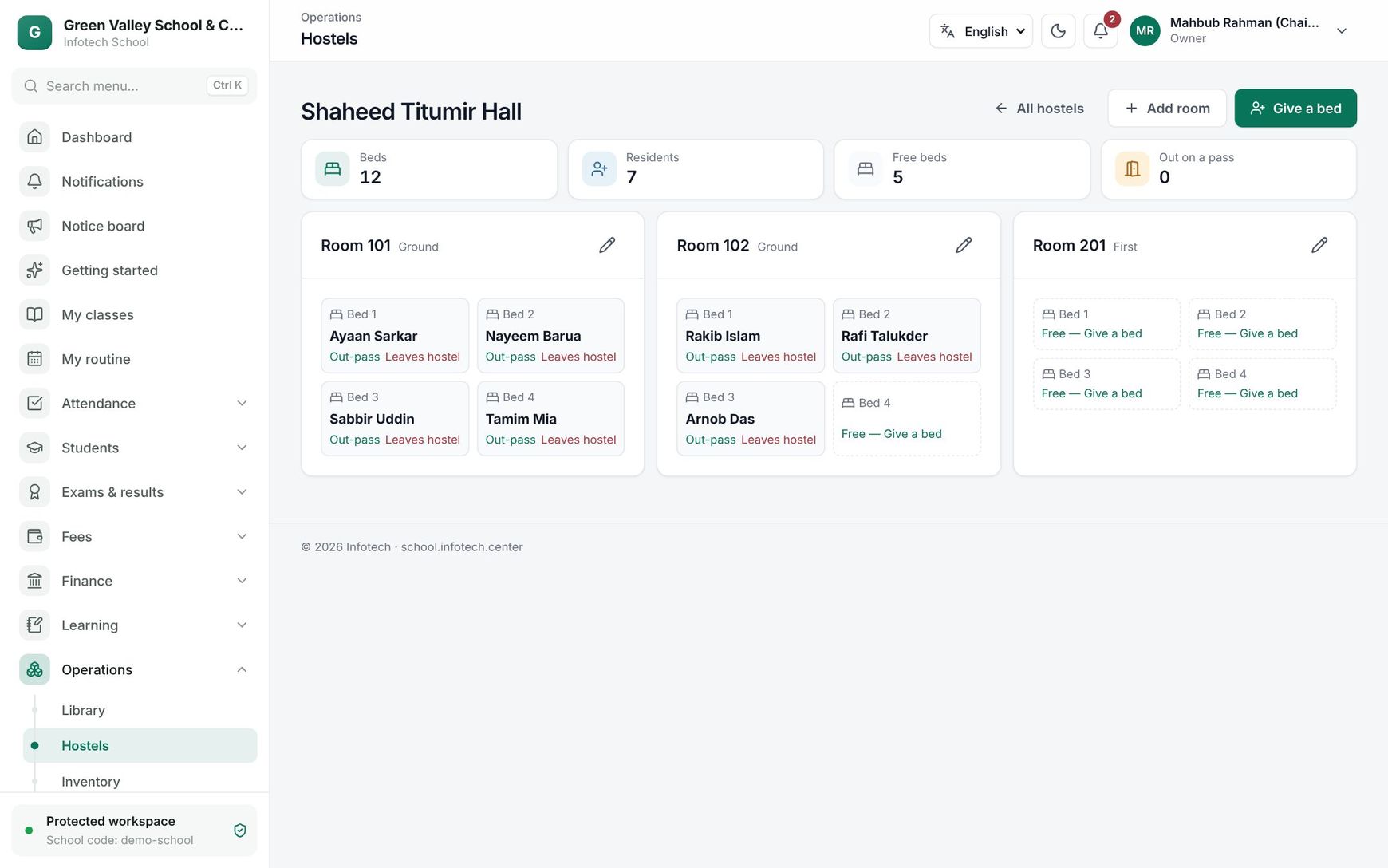 A hostel's rooms as bed cards
Give a bed, move or leave
Give a bed
- Choose Give a bed at the top (or click a free bed).
- Search for the student.
- Choose the Room (each shows how many beds are free) and the Bed, or leave First free bed.
- Choose Give a bed.
Move a resident: give them a bed in the other room the same way. A resident already in a bed moves to the new one, and the old bed becomes free.
Leaving the hostel: on the resident's bed choose Leaves hostel and confirm. The bed becomes free.
Out-passes
When a resident goes home for the weekend, to hospital or anywhere outside:
- On their bed choose Out-pass.
- Fill in the Reason, With (escort) (for example "Father, Abdul Karim") and Back by (tomorrow 6 pm is filled in for you).
- Choose Let out.
The guardians get a message such as "Nusrat left the hostel on an out-pass (with: Father, Abdul Karim)."
Everyone out now is listed at the top of the Hostels page with the reason, escort and "back by" time. Anyone past their time shows Late and is listed first. When the resident returns, choose Is back; the guardians are told they came back.
Hostel (guardians and students)
Guardians open Hostel in the web app, or the Hostel tile in the mobile app. With more than one child, pick the child at the top. The page shows the hostel, room and bed, Since (the date they moved in), the warden with a call link, and Out-passes: each pass with when they went out and came back, and Out or Late badges. A child who does not live in a hostel shows "Your child does not live in a hostel."
Good to know
- You cannot reduce a room's beds below a bed that has a resident ("A bed you are removing has a resident."). Move that resident first.
- A student can only hold one bed at a time, and can only have one open out-pass.
- Back by must be later than now.
- A hostel that is not taking residents refuses new beds, but its residents stay.
- The hostel's Monthly fee is not billed by itself; charge hostel fees through Fee setup.
Example
Shaheed Titumir Hall is a boys' hostel with 12 rooms of 4 beds. On Thursday afternoon the warden, Md. Rafiqul Islam, gives Tanvir Ahmed of Class Eight B an Out-pass: reason "Going home for the weekend", with "Uncle, Jamal Uddin", back by Saturday 6 pm. Tanvir's mother gets a message at once. On Saturday at 7:15 pm Tanvir is still out, so he shows Late at the top of the list. When he arrives, the warden chooses Is back and his mother is told.
Last updated 30 Oct 2026