School profile, years, campuses and shifts
The school profile holds your institution's details as they appear on ID cards, admission forms, admit cards, certificates and reports: its names, EIIN, address, logo, the principal's signature and the school seal. The same page keeps your campuses, shifts and versions (Bangla or English). The school years are kept on Classes & subjects, and are explained at the end of this page.
Open Settings › School profile. It has four tabs: Profile, Campuses, Shifts and Versions. Changing anything needs the setup:write permission (Owner, Principal, Office admin). People who can only view see the page without the save and add buttons.
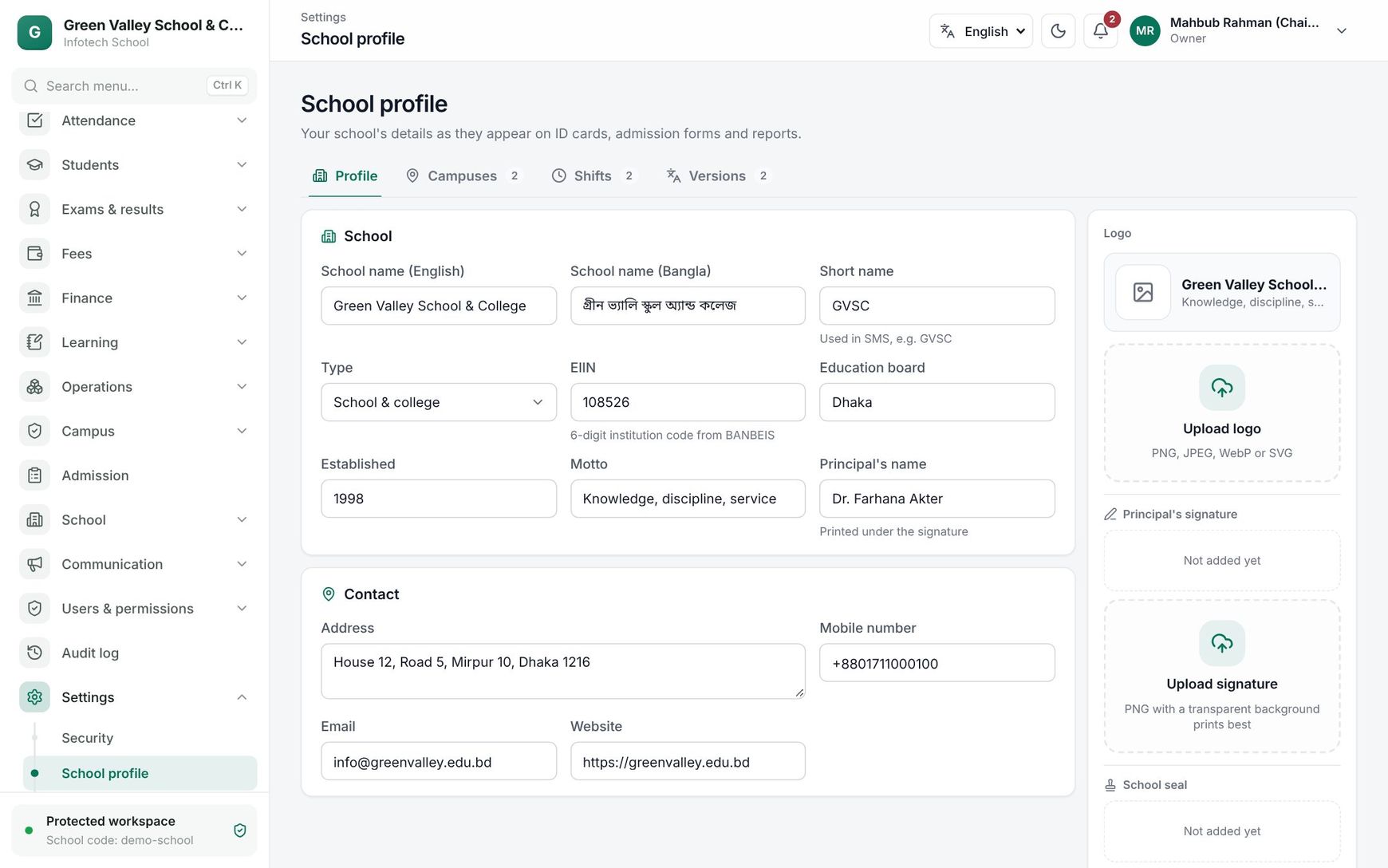 The Profile tab with the school's details and the logo, signature and seal on the right
Profile
Fill in the fields and choose Save changes.
| Field | What it is for |
|---|---|
| School name (English) | Required. Printed on documents and shown in the app |
| School name (Bangla) | Used when people use the app in Bangla |
| Short name | Used in SMS, for example "GVSC" |
| Type | School, College, School & college, Madrasah or English medium |
| EIIN | The 6-digit institution code from BANBEIS. In Bangladesh it must be exactly 6 digits |
| Education board | For example "Dhaka" |
| Established | The year the school was founded |
| Motto | Shown under the name |
| Principal's name | Printed under the signature |
| Address, Mobile number, Email, Website | The school's contact details |
On the right:
- Logo: choose Upload logo and pick a PNG, JPEG, WebP or SVG file. It is saved at once.
- Principal's signature and School seal: choose Upload signature or Upload seal. A PNG with a transparent background prints best. These are printed on admit cards, ID cards and certificates.
Note: The logo, signature and seal can be uploaded only after the profile has been saved once. Loading a curriculum pack on Getting started saves a first profile for you.
Campuses
A campus is a branch of the school with its own address and weekly days off. Choose Add campus, or click a campus to change it.
| Field | Notes |
|---|---|
| Name | For example "Uttara branch" |
| Code | Short, unique, in capitals, for example UTTARA. The code cannot be changed later |
| Address, Mobile number | Contact details of the campus |
| Weekly holidays | Tap the days the campus is closed every week; up to three days |
| Main campus | One campus is the main one. Making another campus main takes the mark off the old one |
| Active | Switch a campus off when it closes |
The first campus you add becomes the main campus. The main campus cannot be turned off: make another campus main first.
Shifts
Many Bangladeshi schools run a morning and a day shift. Choose Add shift.
| Field | Notes |
|---|---|
| Name (English), Name (Bangla) | For example "Morning" and "প্রভাতি" |
| Code | For example MORNING; fixed after saving |
| Order | The order in lists |
| Starts, Ends | The shift must end after it starts |
| Active | Switch off a shift you no longer run |
Versions
A version is the medium of teaching, for example Bangla version and English version. Choose Add version and give the names, code and order. Each section belongs to one campus, one shift and one version (see Classes and subjects).
Academic years
Years live on School › Classes & subjects, tab Years. A school year usually runs January to December.
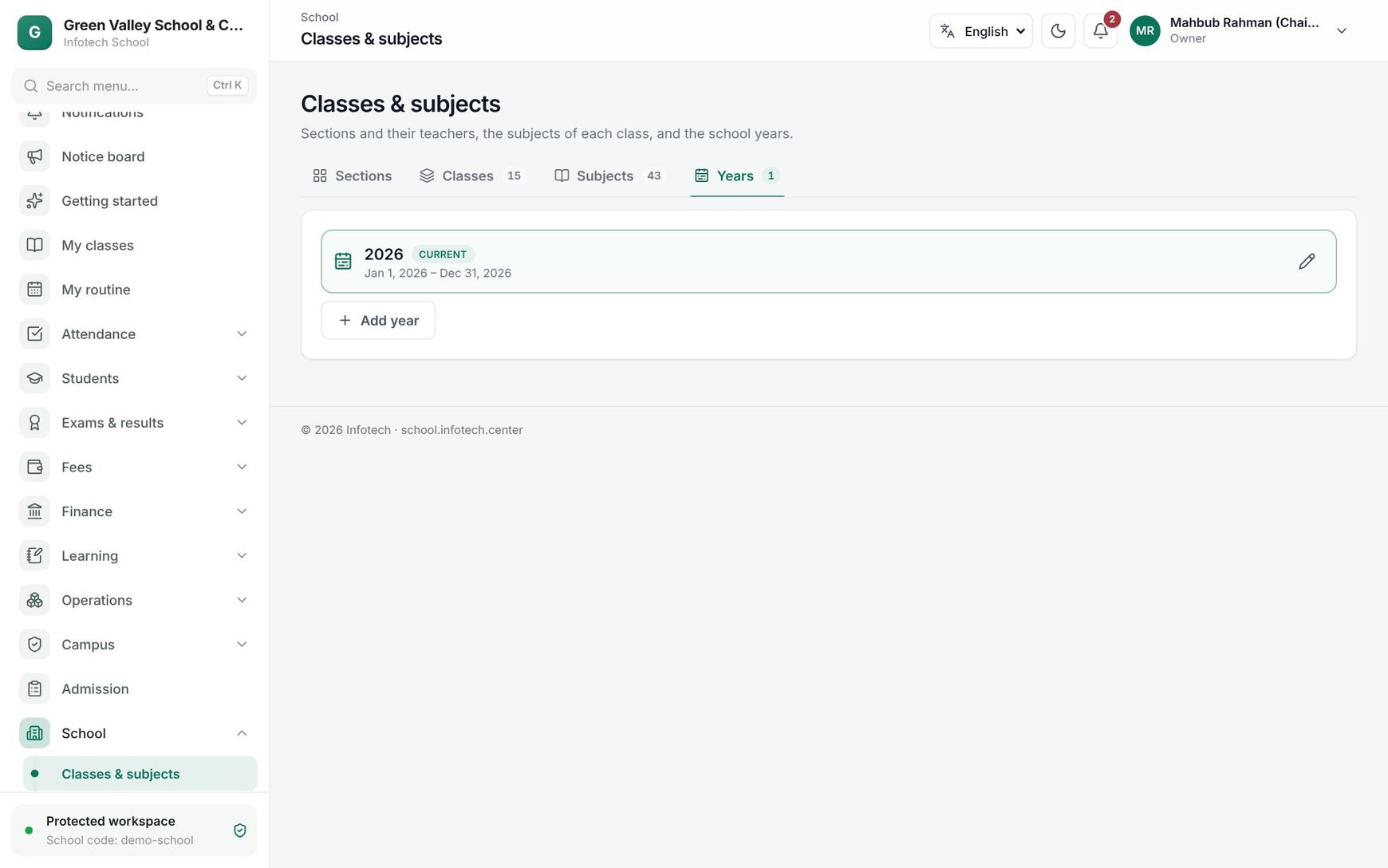 School years with their status and the Make current button
| Status | Meaning |
|---|---|
| Current | New admissions and enrolments go into this year. Only one year is current |
| Planned | Created but not started |
| Closed | A past year |
- Add year suggests next year, 1 January to 31 December. The Name can be "2027" or "2026–27" and must be unique. A year must end after it starts and last at most 18 months.
- The first year a school creates becomes current by itself.
- To move to a new year, choose Make current on it and confirm. The year that was current is closed.
- Use the pencil button to change a year's name or dates.
Tip: Create next year's sections before you choose Make current, so promotion has somewhere to send students.
Example
Shaheen Ideal School has a main campus in Mirpur and a branch in Uttara, both closed on Friday and Saturday. The office adds the campus "Uttara branch" with code UTTARA, ticks Fri and Sat, and leaves Main campus off. Uttara runs only the morning shift, so the office creates the sections of Uttara with the Morning shift and the Bangla version. In December the principal adds the year "2027" and, once the new sections are ready, chooses Make current.
Last updated 30 Oct 2026