Exams, papers and grading
The Exams page is where the exam office sets up each exam of the year: which classes sit it, the papers with their full and pass marks, the date and time of each paper, and the grading scale that turns marks into grades and GPA. It also decides when teachers may enter marks. Results are then worked out and published on the Results page.
Open Exams & results › Exams. The menu needs the Exams & results module in your school's plan. Everyone with the exam:read permission sees the list (Owner, Principal, Office admin and Teacher by default). Creating and changing exams needs exam:manage (Owner, Principal and Office admin).
The exam list
Choose the academic year with the Year filter. Each exam shows:
| Column | Shows |
|---|---|
| Exam | The exam's name and its type, for example "Half-yearly" |
| Dates | The first and last day |
| Classes | The classes that sit the exam |
| Status | See below |
| Status | Meaning |
|---|---|
| Draft | Set up the papers; teachers cannot enter marks yet. |
| Open for marks | Teachers are entering marks. |
| Closed | Mark entry is closed; results can be worked out. |
Click an exam to open it. It has four tabs: Overview, Papers, Grading and Progress.
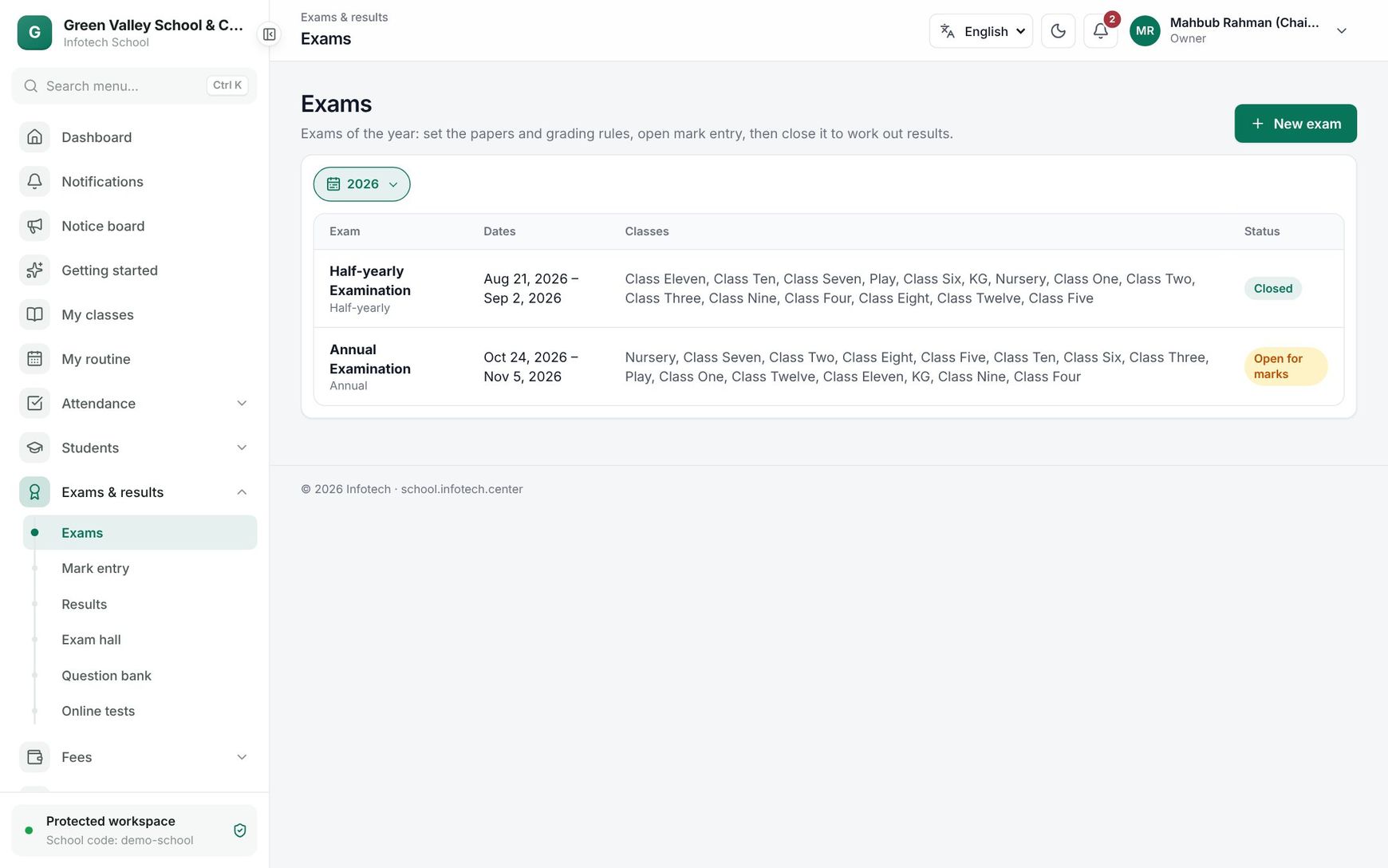 The exam list with the half-yearly and annual examinations
Create an exam
- Choose New exam.
- Fill in the fields below.
- Choose Save.
| Field | What it does |
|---|---|
| Type | Class test, Half-yearly, Annual, Pre-test, Model test, Other or Final result (combined). It cannot be changed later |
| Name (English) | Required, up to 120 characters, for example "Half-yearly Examination" |
| Name (Bangla) | Shown to people using the app in Bangla |
| Mark entry deadline | Teachers cannot change marks after this day |
| First day, Last day | The last day must be on or after the first day |
| Classes | Tap each class that sits the exam |
When you add a class, its subjects are copied in as papers, with the parts and marks set in Classes and subjects. The grading rules of your country are copied in too. For Bangladesh, the 4th subject is set as the optional paper, Bangla 1st and 2nd paper (and English 1st and 2nd paper) are graded together, and subjects such as Physical Education are shown but not counted.
You can remove a class from an exam only while it has no marks.
A final result that combines exams
Choose the type Final result (combined) for an annual result built from several exams. Under Combined exams, give each exam its weight in percent. The weights must add up to 100% (the editor shows Total: 100%). Create the other exams of the year first.
A final result has no mark entry of its own. When you work out its results, each paper's marks are the weighted marks of the same subject in the combined exams, part by part. Every combined exam must be closed first.
Papers and the exam routine
Open the exam, choose Papers and pick a class. Each paper shows Subject, Parts (full/pass), Counts as and Date. Click a paper to change it:
| Field | What it does |
|---|---|
| Part, Full marks, Pass marks | One row per part, for example CQ, MCQ, PRACTICAL. 1 to 6 parts; Add part adds one. Part codes must be unique and pass marks between 0 and the full marks |
| Counts as | See below |
| Combine with | Papers with the same key are graded together, for example Bangla 1st + 2nd = BAN |
| Date, Time | When the paper is written. These make the exam routine printed on admit cards |
| Counts as | Meaning |
|---|---|
| Counted | Counts for the GPA and for pass or fail |
| 4th subject | Only its grade point above the threshold is added to the GPA; failing it does not fail the student |
| Not counted | Graded and shown on the mark sheet, but not in the GPA or pass or fail |
Note: Once marks are entered for a paper, you can no longer add, remove or rename its parts.
Grading
The Grading tab holds the grading scale (each row has From %, Grade and Point) and the pass rules. For Bangladesh it starts as the GPA 5.00 scale:
| From % | Grade | Point |
|---|---|---|
| 80 | A+ | 5.00 |
| 70 | A | 4.00 |
| 60 | A- | 3.50 |
| 50 | B | 3.00 |
| 40 | C | 2.00 |
| 33 | D | 1.00 |
| 0 | F | 0.00 |
Below the scale: Pass mark of a subject (%), Highest GPA, 4th subject counts above (Bangladesh: 2.00) and Each part must be passed (CQ and MCQ separately). Use Add grade for another row, then Save grading. The lowest grade must start at 0%, and no two grades may start at the same percentage.
How a result is worked out:
- A subject's grade comes from its percentage. With Each part must be passed on, a part below its pass marks is an F.
- The GPA is the average grade point of the counted subjects, plus the 4th subject's points above the threshold, never above the Highest GPA.
- An F in any counted subject means the student failed (GPA 0.00, grade F).
- Absent counts as 0 marks.
Run the exam
On Overview you see the status, the first day and the mark entry deadline, with these buttons:
- Open mark entry: teachers can enter and submit marks (see Mark entry). The exam needs at least one class.
- Close mark entry: teachers can no longer change marks. To correct something later, choose Open mark entry again.
- Edit exam and Delete. You can delete an exam only while it has no marks and nothing is published.
The Progress tab shows "12 of 30 sheets submitted" with one row per section and subject: Section, Subject, Teacher (or No teacher assigned), Entered and Status (Not started, In progress, Submitted).
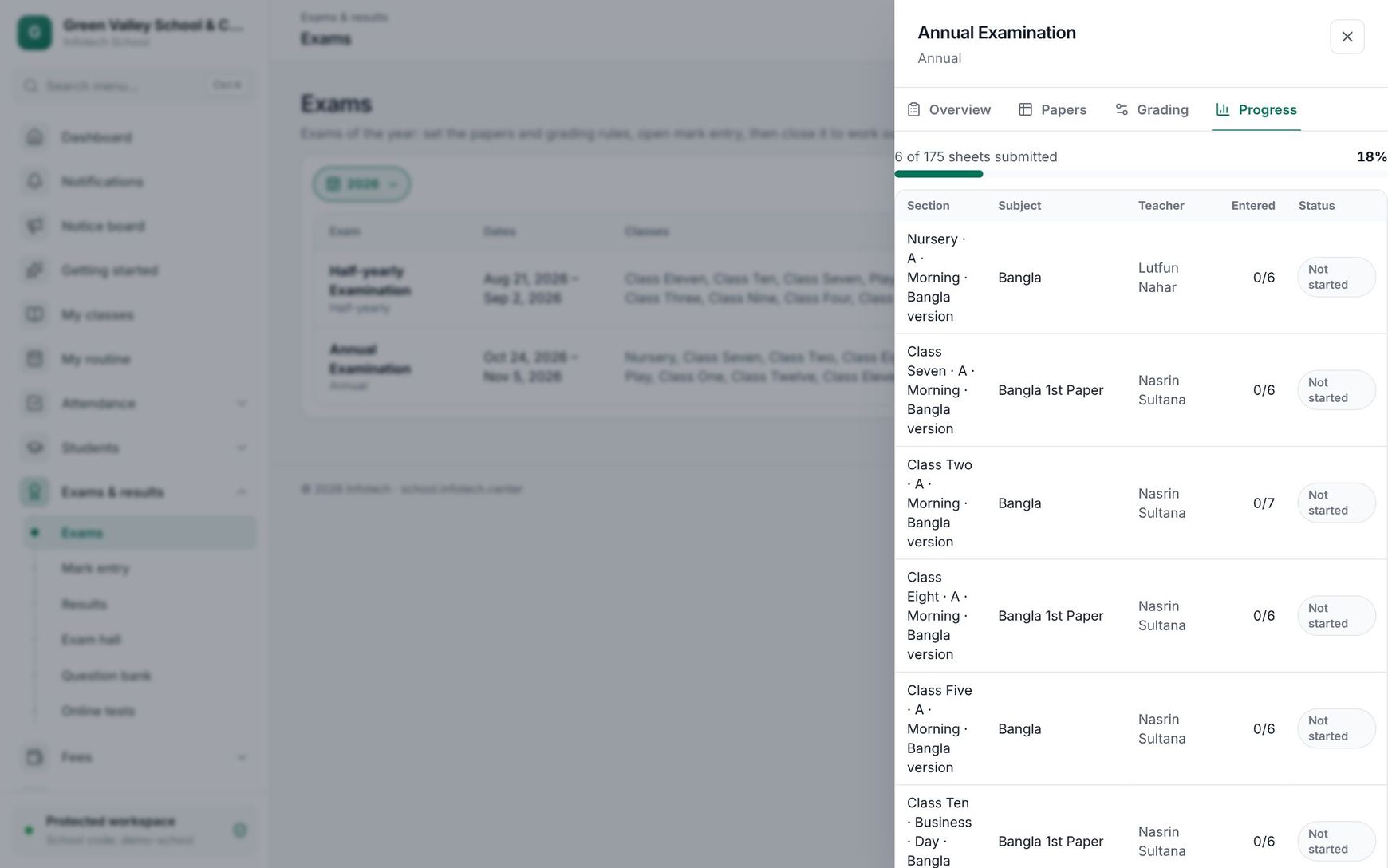 The Progress tab of an open exam
Examples
Half-yearly for Classes Six to Ten. The exam office creates "Half-yearly Examination" with the mark entry deadline a week after the last paper, ticks Class Six to Class Ten, sets each paper's date on Papers and chooses Open mark entry on the last exam day.
A Class Nine result. Rahima Begum gets 62 in Bangla 1st paper and 70 in 2nd paper. Both carry the key BAN, so they are graded together: 132 of 200 is 66%, grade A- (3.50). Her ten counted subjects add up to 42.00 points and her 4th subject, Agriculture, is an A+ (5.00). Only the 3.00 points above 2.00 are added: (42.00 + 3.00) / 10 = GPA 4.50.
An annual result. "Annual Result" combines the Half-yearly at 40% and the Annual at 60%. A student with 70 in Mathematics in the half-yearly and 80 in the annual gets 0.4 × 70 + 0.6 × 80 = 76.
Last updated 30 Oct 2026