Inventory: store and assets
The Inventory page keeps two things: the store (consumables such as chalk, paper and cleaning supplies, with stock going in and out) and the asset register (computers, projectors, furniture and lab equipment, each with a tag, a location and a holder).
Who can use it: Operations › Inventory needs the Inventory module in the school's plan (see Subscription and store) and the permission to run the store. The Storekeeper role has it, as do the Owner, Principal and Office admin.
The page has three tabs: Store, Assets and Report.
Store items
On the Store tab choose Add item.
| Field | What it does |
|---|---|
| Name | For example "A4 paper (ream)". Must be unique |
| Unit | E.g. box, ream, kg, piece |
| Category | For example Stationery, Cleaning |
| Code | Your own item code, optional |
| Location | Where it is kept, for example Store room |
| Reorder at | The reorder level. At or below it, the item is marked Low. Leave 0 to never warn |
| Active | Untick for items you no longer keep |
The list shows Item, In stock (with a Low badge when it is at or below the level) and Reorder at. Tick Only low stock to see what needs buying.
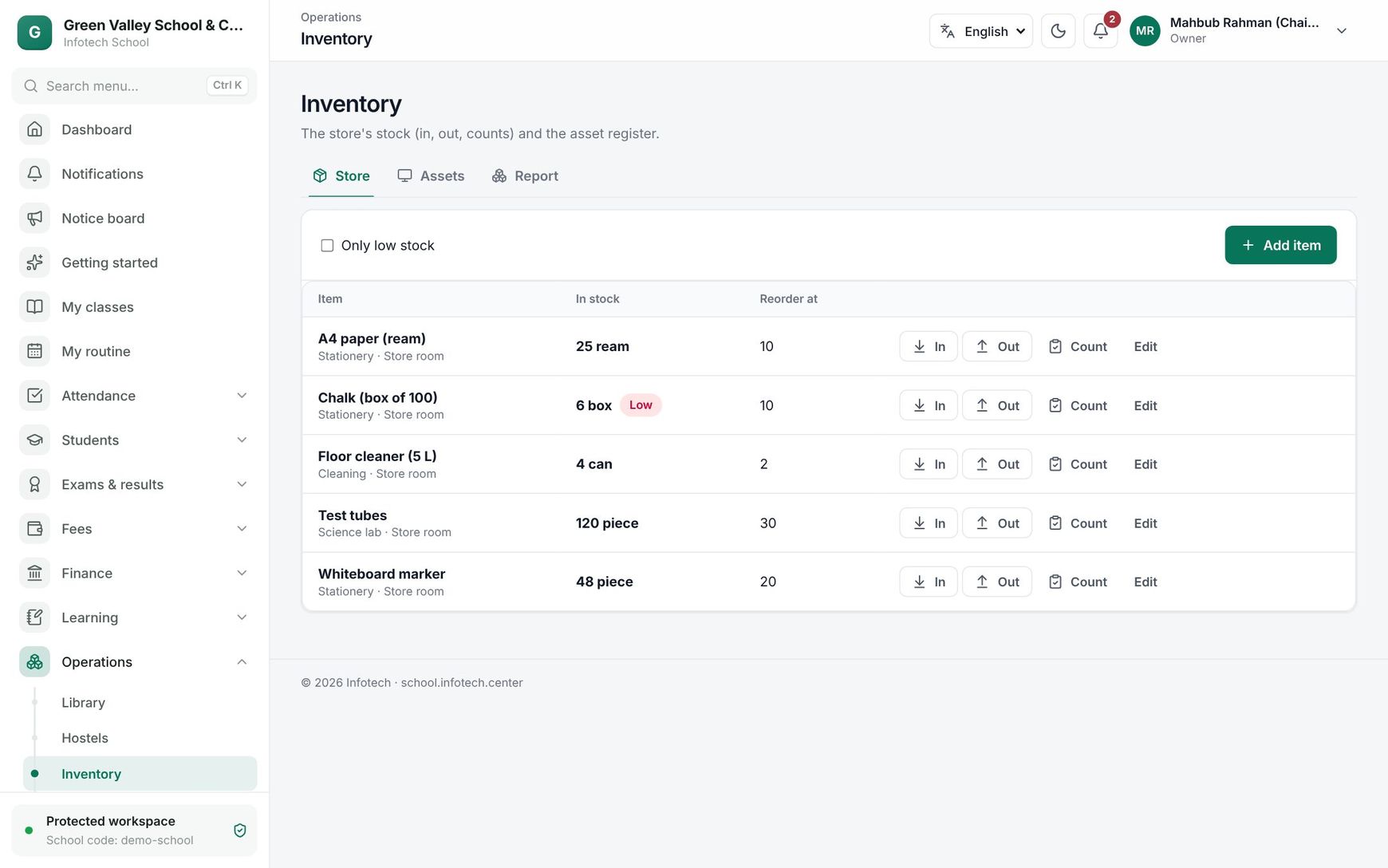 The Store tab with stock levels and In, Out and Count buttons
Stock in, issue and count
Each item has three buttons. Each opens a small form that shows what is in stock now and, as you type, what it will be After.
| Button | Use it when | Fields |
|---|---|---|
| In | A purchase arrives | Quantity, Unit cost, Bill / supplier, Note |
| Out | You hand items to a teacher or office | Quantity, Issued to, Note |
| Count | You count the shelf | Counted quantity (the stock is set to it), Bill / supplier, Note |
Choose Save. Stock can never go below zero: an issue larger than the stock shows "Not enough in stock".
Click an item's row to see its Movements: each In, Out or Count with the quantity, date, reference, note and the Balance after it.
The asset register
On the Assets tab choose Add asset.
| Field | What it does |
|---|---|
| Name | For example "Multimedia projector" |
| Tag | Leave empty for the next number (AST-000001…), or type the tag already stuck on the item. Tags are unique |
| Category, Location, Serial no. | Where it is and how to identify it |
| Condition | New, Good, Fair, Poor or Broken |
| With (staff) | The staff member who has it, for example a laptop given to a teacher |
| Bought on, Cost, Supplier | Purchase details |
| Warranty until | While in date, the asset shows Under warranty |
| Note | Anything else |
After saving, a message shows the tag it was saved as. Write it on a sticker or print it as a barcode.
The list shows Asset (name, tag and serial), Location, With (staff), Condition and Cost. You can search by tag, name or serial, filter by location (All locations), and tick Show disposed. To check an item during a stock-take, type or scan its tag in Scan tag and press Enter: the asset opens for editing.
Dispose an asset that is sold, scrapped or lost: enter the Reason (sold, scrapped, lost…) and confirm. Its condition becomes Disposed, the holder is cleared, and it can no longer be edited. It stays in the register under Show disposed.
Report
The Report tab shows Store items, Low stock, Assets and Asset value (the cost of assets not disposed of), with Assets by condition and Assets by location.
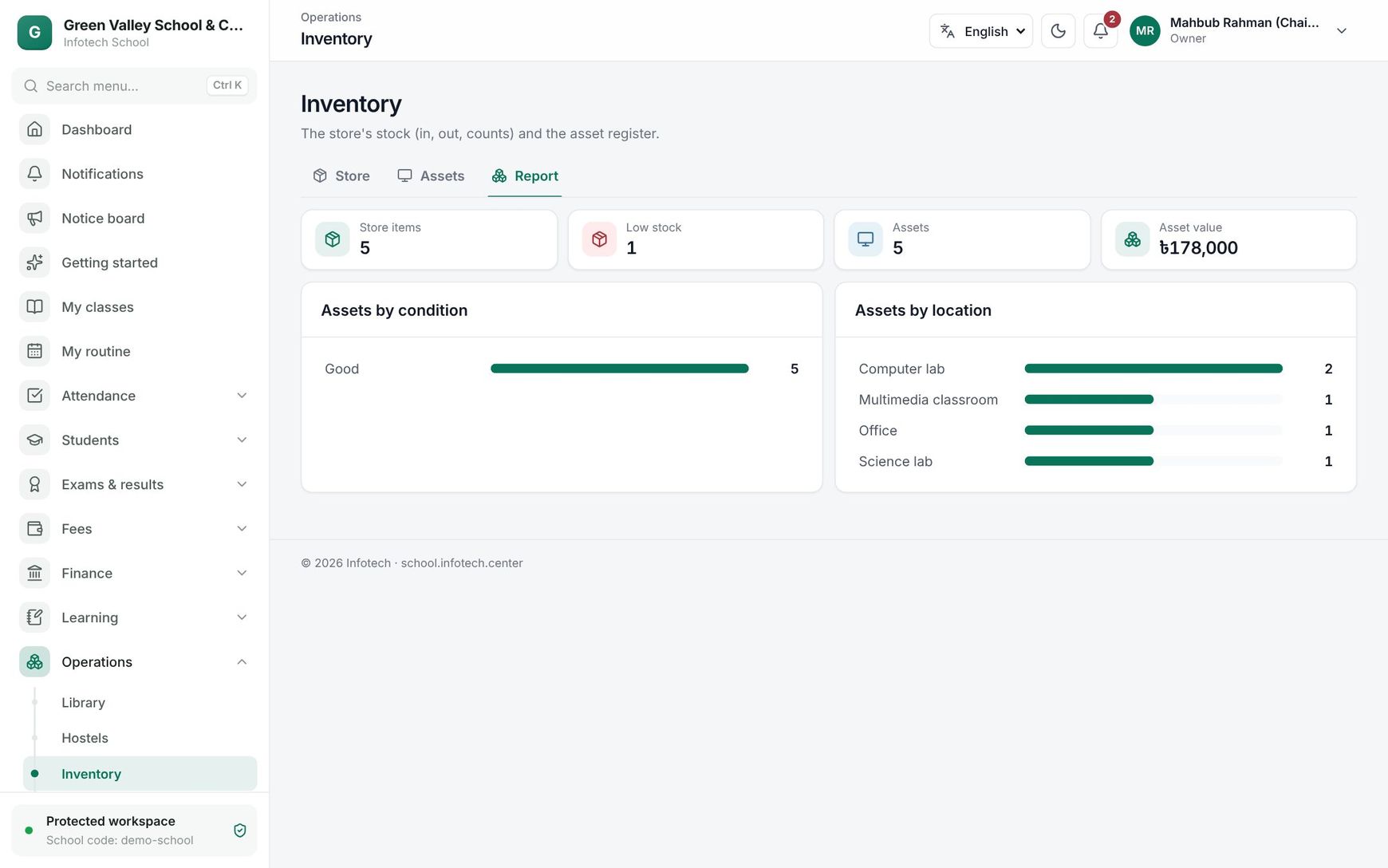 The Inventory report
Good to know
- Stock is recorded for today. A Count sets the stock to the number you counted, whatever it was before.
- The low-stock flag shows on the page; there is no automatic message.
- An inactive item never shows as Low.
Examples
Paper for exams. The store has "A4 paper (ream)" with Reorder at 10. Before the half-yearly exam, 50 reams arrive: In 50 at Tk 450 each, Bill / supplier "Bill 2231, Nilkhet Stationery". The exam office takes 42: Out 42, Issued to "Exam office". The stock is now 8, so the item shows Low and appears under Only low stock.
A new projector. The school buys a multimedia projector for Tk 48,500 with one year of warranty. The storekeeper adds it with Location "Multimedia classroom", leaves Tag empty and saves: "Saved as AST-000012". Three years later it breaks beyond repair and is disposed of with the reason "Scrapped, lamp board burnt".
Last updated 30 Oct 2026